WI # 1351
PN: 0090032844
CPN: 0090032844
|
|
|
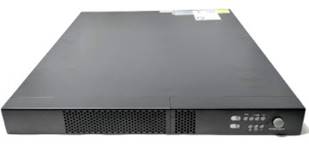
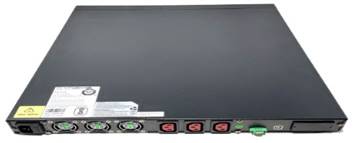
En la página de ATS deberá escribir el número de track y verificar la información PN sea la correcta
On the ATS page you must enter the track number and verify that the PN information is correct.

MANTENIMIENTO Y REPARACION / MAINTENANCE & REPAIR
Nota: a todas las unidades se deberán de cambiar las baterías y actualizar el software como mantenimiento.
Note: all units should have the batteries replaced and the software updated for maintenance.
Verifique que la unidad no presente daño algún o partes faltantes.
Check the unit for damage or missing parts.
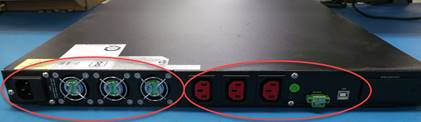
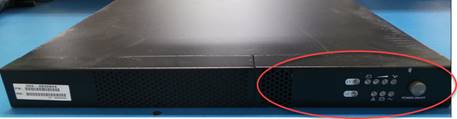
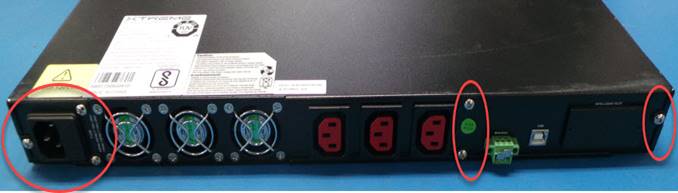
Para desarmar, Con un desarmador de cruz retire los tornillos de las todas cubiertas y bezel frontal.
With a cross screwdriver remove the screws from all covers and front bezel.
Lateral Izquierdo
Left side
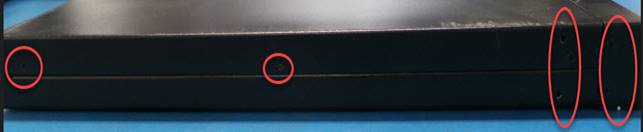
Lateral derecho
Right side

Parte posterior
Rear side
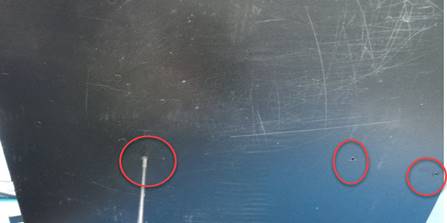
La unidad trae tornillos por la parte de abajo
The unit has screws on the bottom
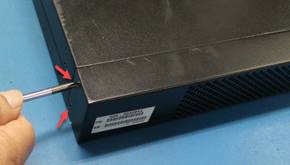
Cubierta frontal, quitar los tornillos de los lados y zafarla hacia enfrente
Front cover
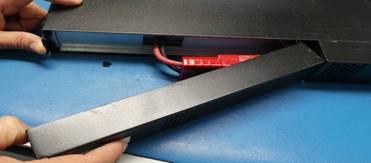
Desconecte el cable de la batería y retire los dos tornillos a un lado de cable para quitar la cubierta de metal
Disconnect the battery cable and remove the two screws on the side of the cable to remove the metal cover
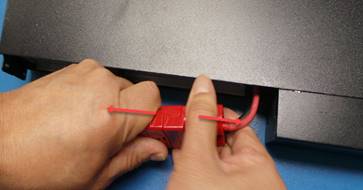
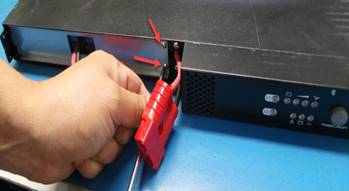
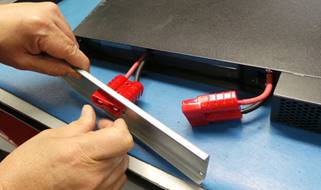
Retire los dos tornillos a un lado de cable para quitar la cubierta donde viene el botón de power
Remove the two screws on the side of the cable to remove the cover where the power button comes
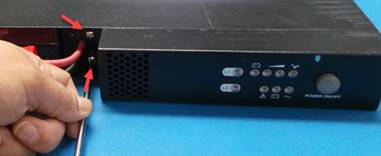
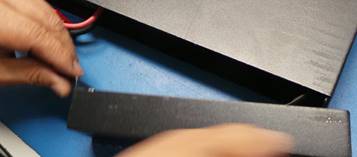
Ya podemos levantar y quitar la cubierta
Now we can lift and remove the cover
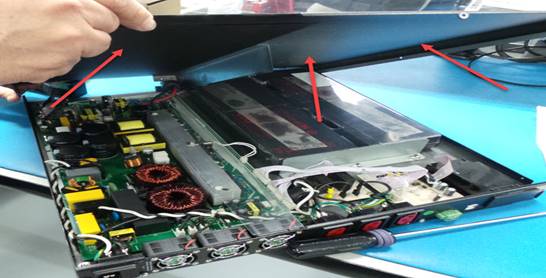
Con la unidad sin las cubiertas, deberá de remover partículas de suciedad y polvo con aire a presión.
With the unit uncovered, you should remove dirt and dust particles with pressurized air.
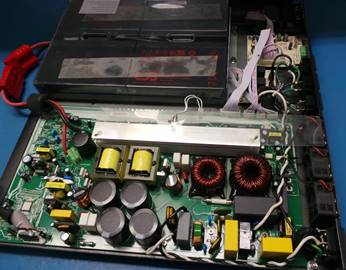
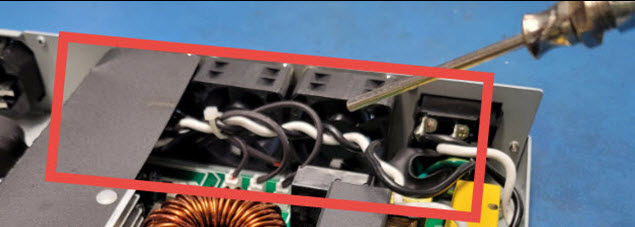
Remueva polvo y pelusas de los abanicos de enfriamiento de la unidad con aire a presión.
Remove dust and lint from the unit's cooling fans with pressurized air.
PRUEBA DE BATERIAS / BATTERY TEST
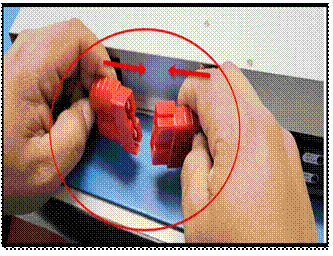
Conectar el probador a la batería cerciorándonos que este bien ensamblado cada color en su polo
Connect the tester to the battery making sure that each color is well assembled in its pole
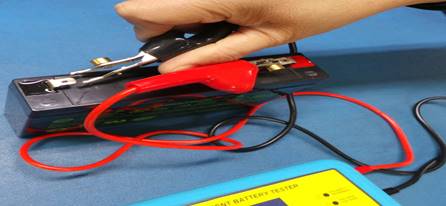
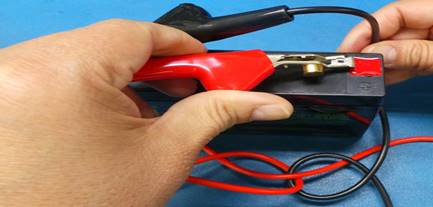
Si la batería tiene carga el probador se encenderá
If the battery is charged, the tester will turn on.
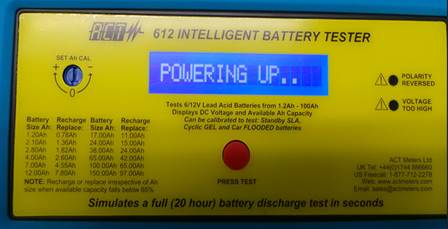
Presionamos el botón rojo de PRESS TEST, debe aparecer el voltaje y después el amperaje
You press the red PRESS TEST button; the voltage should appear and then the amperage
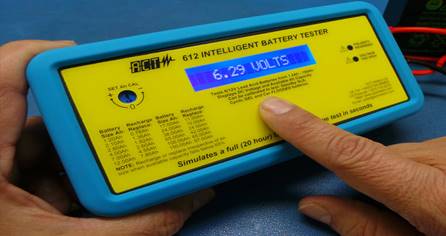
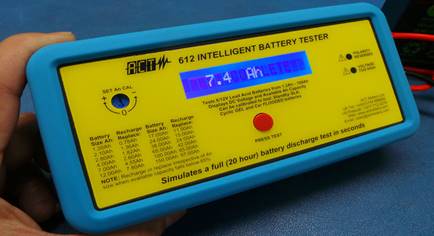
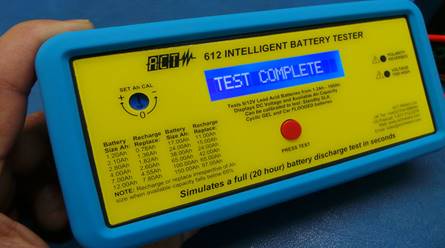
Al finalizar la prueba aparece la leyenda TEST COMPLETE, la batería pasó la prueba
At the end of the test, the legend TESTCOMPLETE appears, the battery passed the test
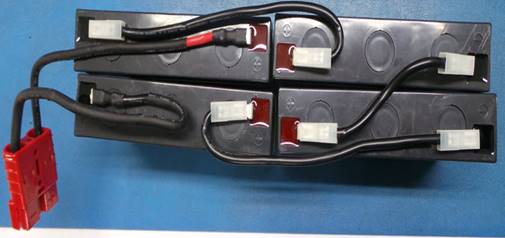
Conexión correcta de baterías
Correct connection of batteries
Conecte la interface Renesas
Connect Renesas interface
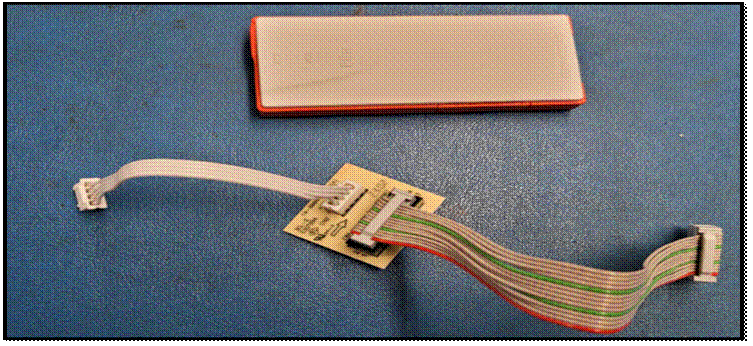
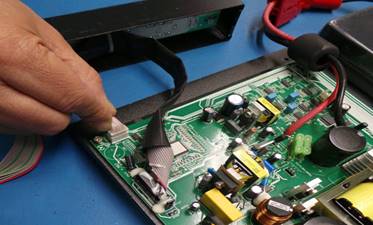
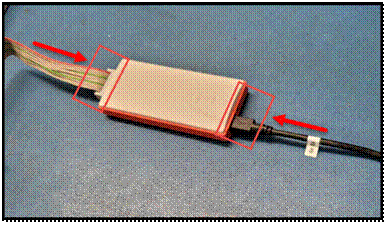
Conecte el arnés que va hacia la tablilla, interface y el cable USB.
Connect the harness to the board, interface and USB cable.
 .
. 
Para realizar la actualización siga los siguientes pasos:
To perform the update, follow the steps below:
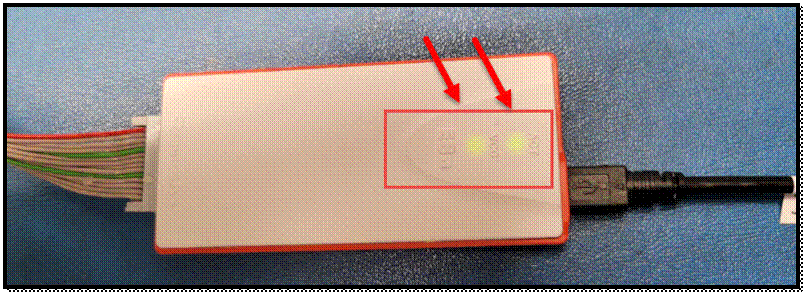
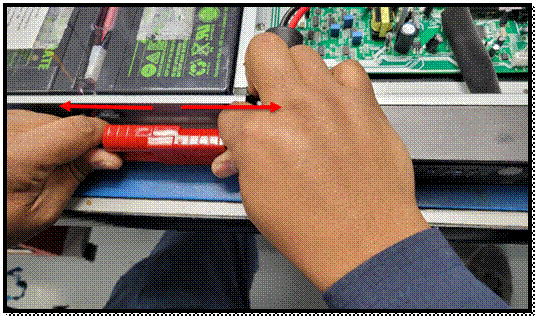
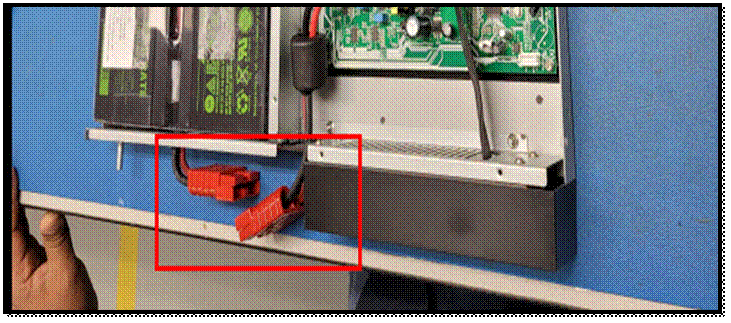
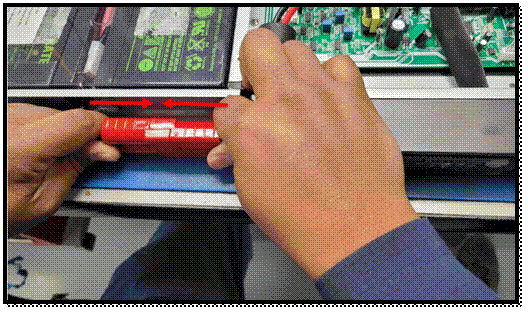
Conecte los cables de la batería, presione el botón de encendido del back up y la interface deberá de encender.
Connect the battery cables; press the power button on the back up and the interface should turn on.
ACTUALIZACIÓN DEL SOFTWARE / SOFTWARE UPDATE
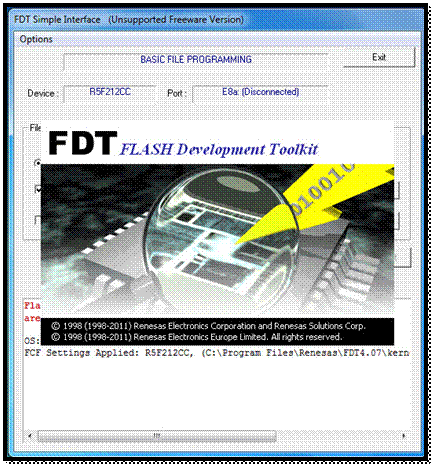
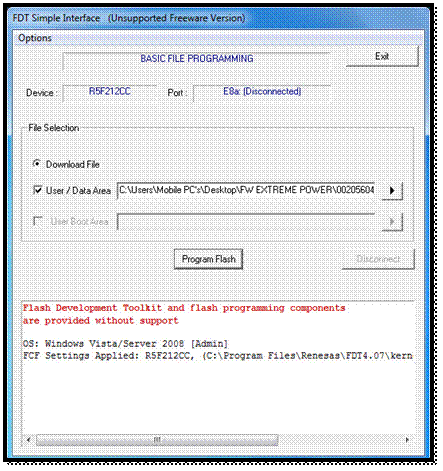
En
su computadora de prueba seleccione el icono 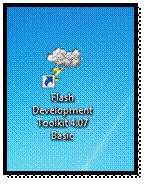 y
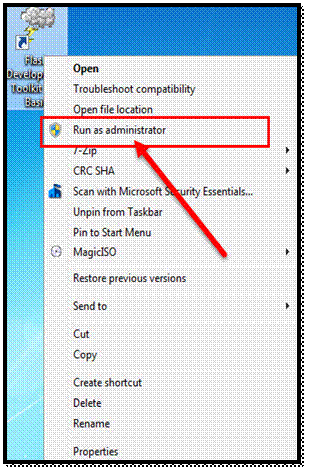
click al botón derecho de su ratón, seleccione la opción Run as administrator,
se abrirá la siguiente ventana.
y
click al botón derecho de su ratón, seleccione la opción Run as administrator,
se abrirá la siguiente ventana.
On your test
computer select the following icon and
right-click on it, select the Run as administrator option, the following window
will open.
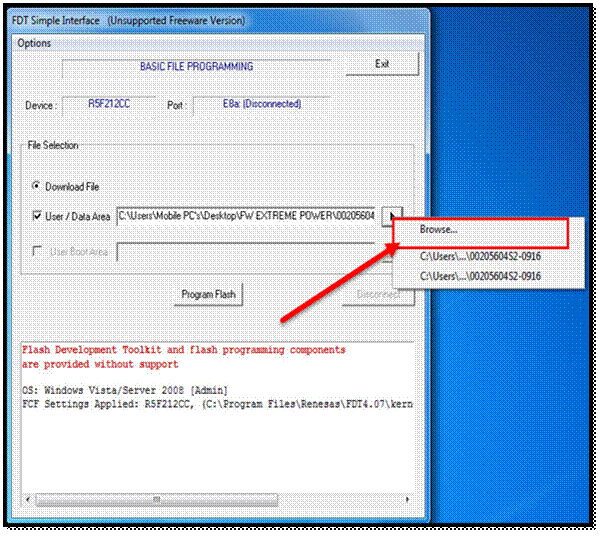
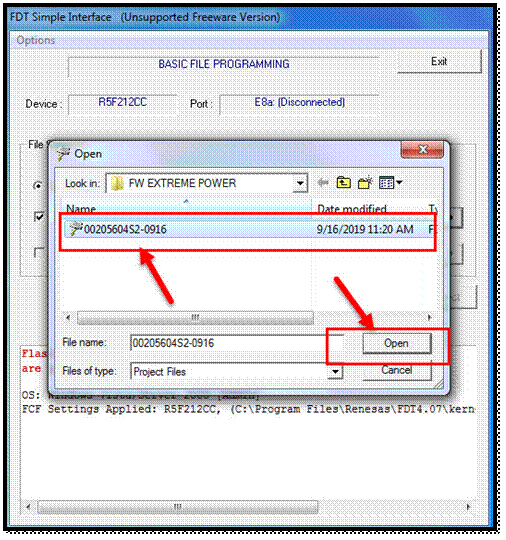
En la flecha de la opción user/ data area, seleccione Browse, la opción 0020560452-0916 y open.
In the arrow of the user/ data area option, select Browse, the option 0020560452-0916 and open.
Ahora diríjase a las opciones, seleccione Options, others properties settings y auto send ID.
Now go to the options, select Options, others properties settings and auto send ID.
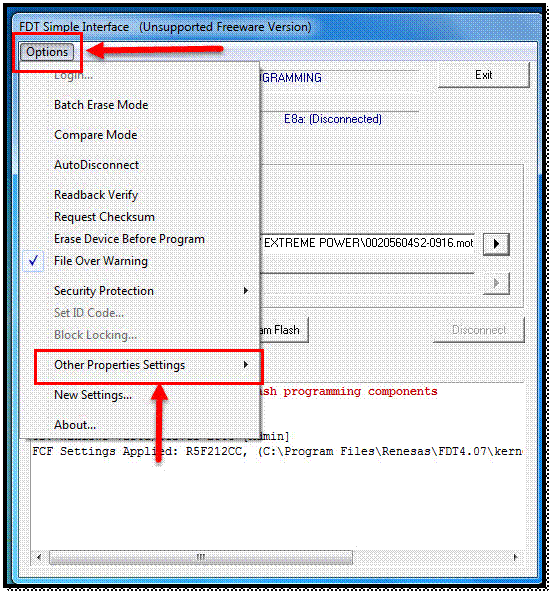
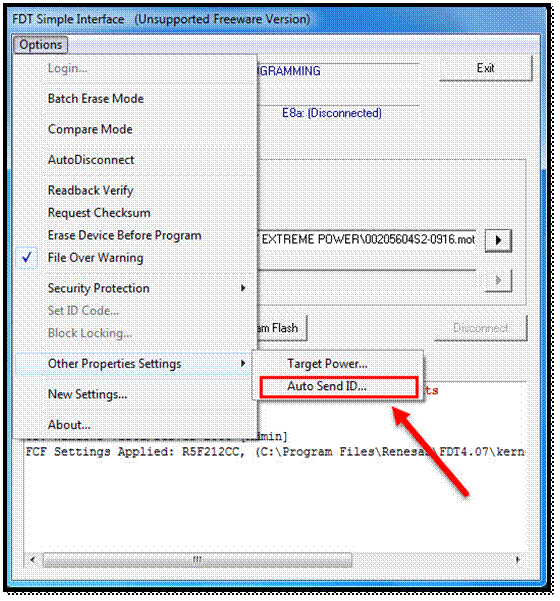
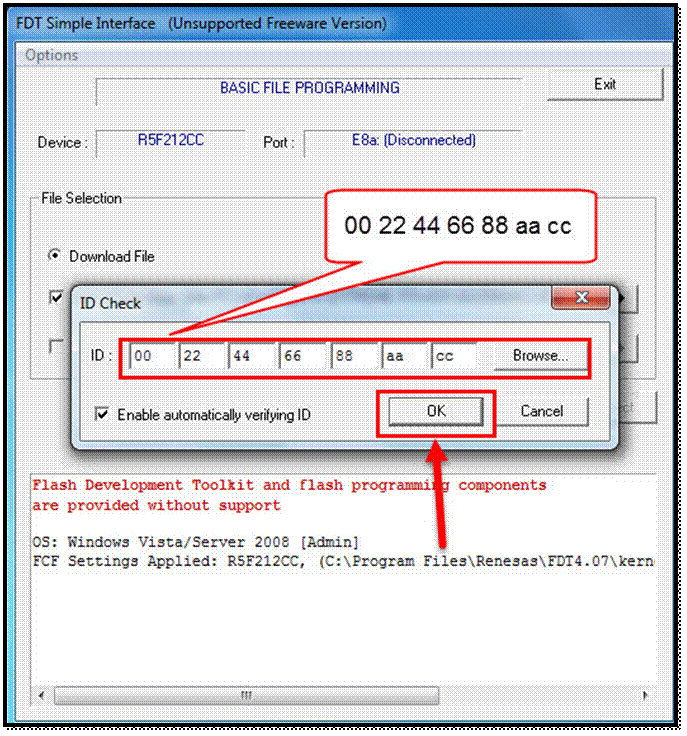
En la siguiente Ventana escriba el código 00 22 44 66 88 aa cc y al termino ok como se muestra en la imagen.
In the next window type the code 00 22 44 66 88 aa cc and then ok as shown in the image.
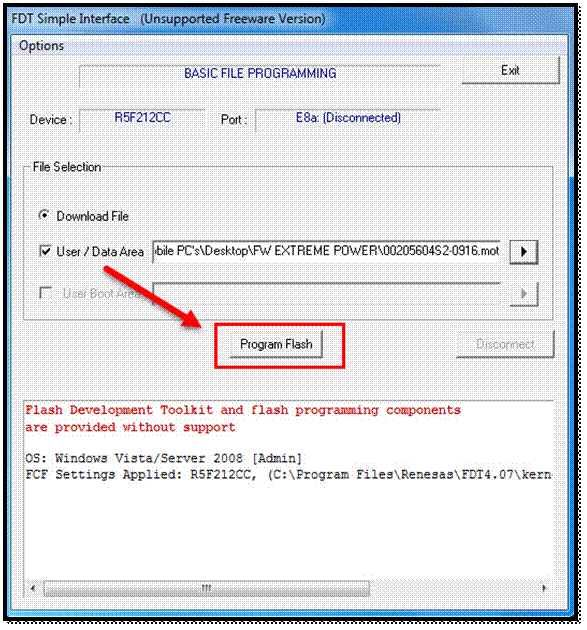
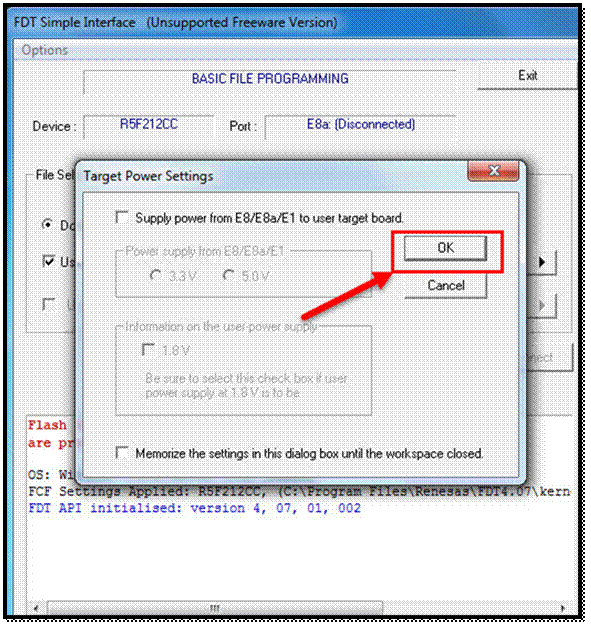
En las siguientes opciones seleccione program flash y al terminar ok.
In the following options select program flash and then ok.
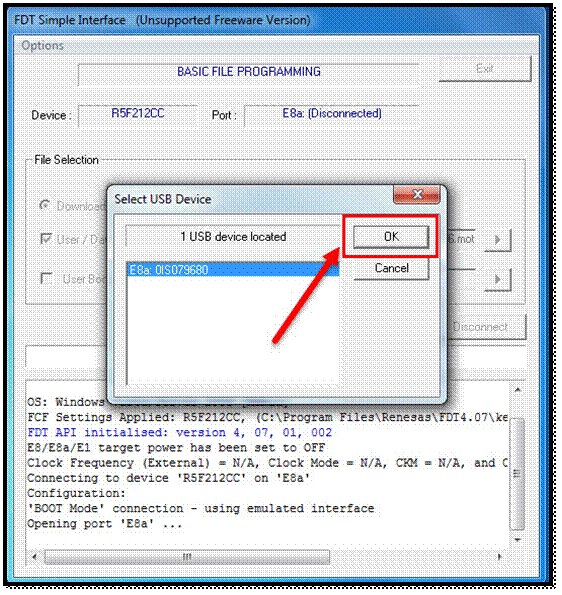
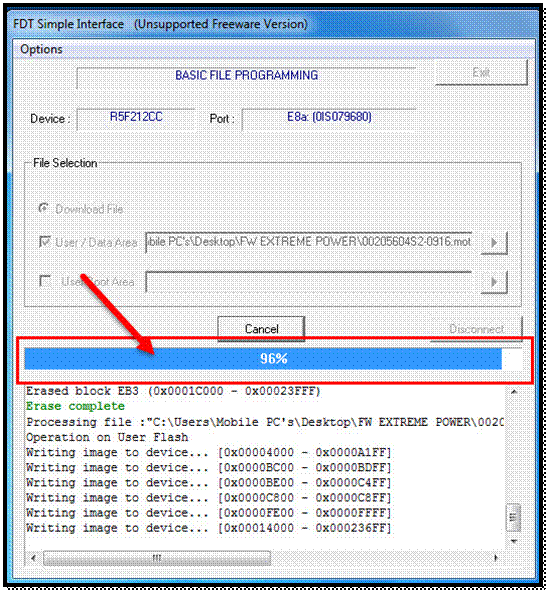
En la Ventana USB device seleccione ok, en este momento empezará a actualizarse, espere a que llegue al 100%.
In the USB device window select ok, at this point it will start updating, wait until it reaches 100%.
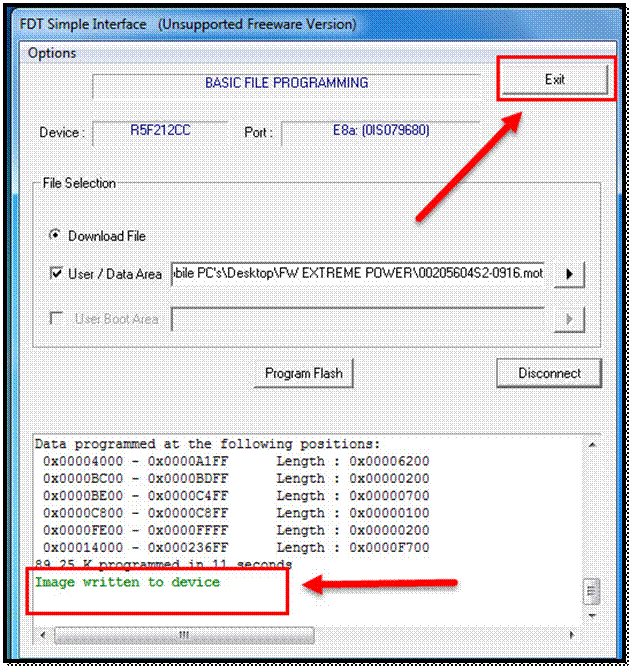
Al finalizar deberá de verificar que la actualización se haya instalado correctamente de ser así seleccione exit.
At the end you should verify that the update has been installed correctly, if so, select exit.
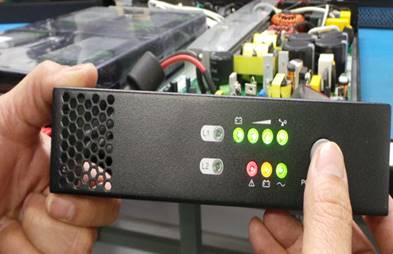
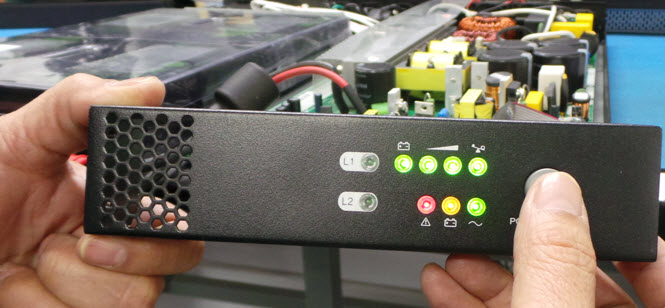
Ahora deberá desconectar los cables de las baterías por unos segundos y luego reconectarlos. Prenda la unidad y deberá encender correctamente como le muestra la imagen.
Now you should disconnect the battery cables for a few seconds and then reconnect them. Turn the unit on and it should power up correctly as shown in the picture.
Ahora deberá de rearmar la unidad completamente no olvidando colocar todas las cubiertas y tornillos.
You should now completely reassemble the unit, remembering to replace all covers and screws.
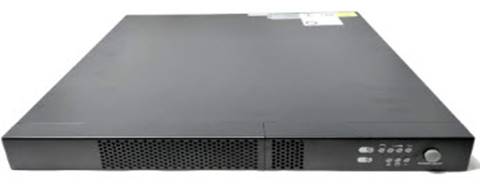
Nota: El personal de reparación y el inspector de calidad deben realizar una inspección visual, asegurándose de que todos los tornillos y cubiertas estén bien colocados, que no haya cables expuestos, que no haya piezas rotas o faltantes, que no haya traqueteos ni piezas sueltas dentro de la pieza, que esté limpia (vidrio, rodillos, correas, según corresponda).
Note: The repair personnel and the quality inspector should make a visual inspection, making sure that all screws and covers are securely in place, no exposed wires, no broken, missing parts, no rattles or loose parts inside the part, clean (glass, rollers, belts, as applicable).
|
|
WI#: 1351 |
Originator/ Originador: J Ruiz 01/10/2020 |
||||
|
Rev / revisión: 01 |
Rev Date/ fecha de reviaión: 01/10/20 |
Name/ Nombre: J Ruiz |
Update/ Actualización: New format/ Nuevo Formato |
Next Review/ Próxima Revision: NA |
Approval/ Aprobado Por: Tom St John |
|
|
02 |
17/02/23 |
J Ruiz |
Testing and maintenance / Pruebas y Mantenimiento |
NA |
Tom St John |
|
|
03 |
07/31/24 |
H Bailón |
Note: Visual inspection |
NA |
Tom St John |
|
